3D Laboratories
Request a demo

3D Laboratories · Additive manufacturing solutions

PrintSlice Pro. The slicer for engineering and high-temperature materials.

PEEK, PEKK, PEI 9085, PPSU, PC and carbon-fiber nylons demand more than geometry. PrintSlice Pro models the heat in every layer, predicts bonding and warp before the print starts, and shapes the toolpath around the polymer.

PrintSlice Pro — Preview · Feature type
PrintSlice Pro preview of a sliced engine block colored by feature type
Preview · Feature type
  • 11Engine features
  • 7Thermal analysis views
  • 14Material thermal classes
  • HTX · Marlin · KlipperPrinters supported

3D Labs Trusted By

Airgard KPD BlueHalo Simpson Strong-Tie Systems Integrated Chevron Apex Industries I-CAR Moog Advanced Technology and Research Corporation L3Harris Oak Ridge National Laboratory National Institutes of Health U.S. Department of Energy U.S. Army NASA

Built for production parts

Where a general-purpose slicer stops, PrintSlice Pro starts.

Manufacturing engineers, R&D labs and service bureaus print high-temperature polymers because the parts have to perform. The slicer has to know the material as well as the geometry.

01

First-print success in high-temperature materials

Material thermal classes for PEEK, PEKK, PEI, PPSU, PC and carbon-fiber nylons drive the thermal model, so the toolpath and the temperature schedule are shaped around the polymer before the first layer goes down.

02

Warp and bond risk known before you print

Substrate temperature, layer bond quality, time to solidify, crystallinity and warp risk are predicted per layer from the real toolpath timeline, and shown on the model in Preview.

03

Dimensional reliability from the toolpath itself

Adaptive Walls fill thin sections without resizing the outer wall, Adaptive Solid Infill finishes edges flat, and every solid region is anchored to the layer below.

04

One workflow across the printers you already run

The 3D Labs HTX is configured out of the box. Any Marlin- or Klipper-based machine is set up once in Machine settings, and every operation carries that configuration with it.

Material thermal classes

  • PEEK
  • PEEK-CF
  • PEKK
  • PEKK-CF
  • PEI 9085
  • PEI
  • PPSU
  • PSU
  • PC
  • PA (nylon)
  • PA-CF
  • ABS / ASA
  • PETG
  • PLA

Engine features

A slicing engine developed in-house, feature by feature.

Each feature reads the geometry, the material and the thermal history of every layer, and shapes the toolpath and G-code around them. Features marked in orange are algorithms of 3D Laboratories' own design.

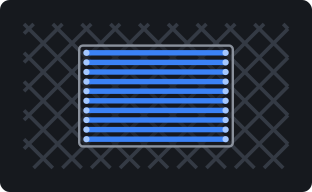
Adaptive Walls diagram
01 · Walls & infill

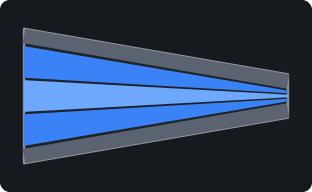
Adaptive Walls

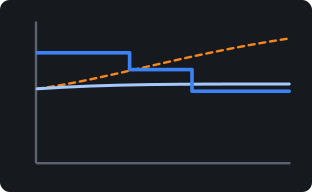
Every inner bead is sized to the exact local thickness of the wall, so tapers, fins and thin sections fill completely with no gaps and no overlaps. The outer wall is never resized, so visible surfaces stay smooth and uniform.

Novel algorithm · 3D Labs
Adaptive Solid Infill diagram
02 · Walls & infill

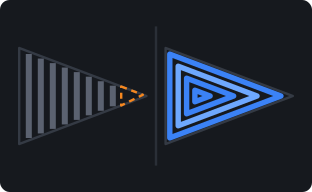
Adaptive Solid Infill

Narrow ribs, webs and thin bridges are filled with shape-following rings right into the narrowest point. Solid ends exactly at the wall edge, and flow eases off on short lines and into tight corners so edges finish flat.

Novel algorithm · 3D Labs
Predictive Scaffolding diagram
03 · Surfaces & seams

Predictive Scaffolding

PrintSlice looks ahead to where a solid top surface will begin over sparse infill and grows a supporting ring in the layers beneath, so the first solid layer lands on a firm edge.

Novel algorithm · 3D Labs
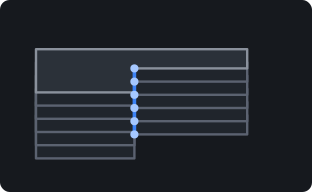
Bridge Deck diagram
04 · Surfaces & seams

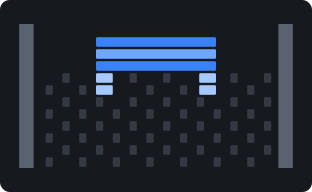
Bridge Deck

Where a solid region sits on sparse infill, its lines run crosswise to the lattice and weld onto it. Every line end lands on material, so the deck stays flat and anchored.

Novel algorithm · 3D Labs
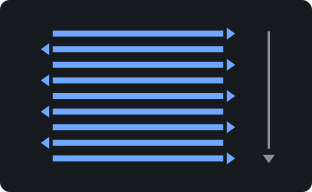
Monotonic Line Skins diagram
05 · Surfaces & seams

Monotonic Line Skins

Top and bottom skins are printed as separate lines in one sweep order with no connector segments crossing the surface, for a flatter, cleaner, uniform finish.

Surface
Seam Track & Scarf Joint diagram
06 · Surfaces & seams

Seam Track & Scarf Joint

Seam Track tucks each seam into a corner or aligns it along a clean line. The scarf joint tapers the loop start and end into an angled overlap, and weld-matched scarf sizes that overlap to how quickly the material cools.

Novel algorithm · 3D Labs
Thermal Intelligence diagram
07 · Thermal & bonding

Thermal Intelligence

A transient heat-transfer model of the whole build, driven by the real toolpath timeline, predicts interface weld temperature, softening and sag, crystallization and warp, per bead and per layer.

Novel algorithm · 3D Labs
Thermal Analysis Views diagram
08 · Thermal & bonding

Thermal Analysis Views

Seven predictive preview views grounded in published polymer physics: interface and substrate temperature, layer bond quality, sag risk, time to solidify, crystallinity and warp risk.

Novel algorithm · 3D Labs
Thermal Guard diagram
09 · Thermal & bonding

Thermal Guard

A closed-loop nozzle-temperature planner that uses the thermal model as its plant, scheduling setpoints ahead of the hot-end's lag and verifying each step before it is written.

Thermal
Refine Stage diagram
10 · Thermal & bonding

Refine Stage

Refine turns the thermal analysis into decisions. Every recommendation is evaluated as a counterfactual, re-solving the model with the change applied, and shown with before/after numbers. Nothing is applied until you accept it.

Analysis
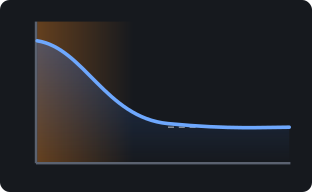
Controlled Cooldown diagram
11 · Thermal & bonding

Controlled Cooldown

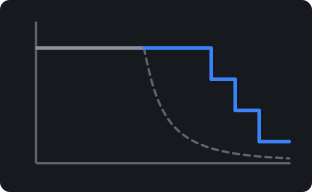
An end-of-print thermal schedule for semicrystalline and high-temperature polymers: hold warm to complete crystallization, then step down through the glass transition at a controlled rate. Runs on any firmware.

Thermal
Engine reference

Every feature, with diagrams, controls and how to see it in Preview.

Where each control lives, what to look for in Preview, and the research each thermal view is built on.

Read the full engine reference

Thermal Intelligence

See layer bonding and warp before you print.

A transient heat-transfer model of the whole build, driven by the real toolpath timeline, predicts interface weld temperature, softening and sag, crystallization and warp, per bead and per layer. Seven views in Preview show the result on the model.

01
Substrate temperatureHow far the layer below has cooled when the next layer reaches it.
02
Interface temperatureThe weld temperature where a fresh bead meets the layer below.
03
Layer bond qualityEach interface placed against the material's weld window.
04
Sag riskWhether a layer can carry the next before it is loaded.
05
Time to solidifyThe seconds each layer needs to become load-bearing.
06
CrystallinityThe crystallization each layer reaches along its real thermal history.
07
Warp riskLocked-in strain and shrinkage acting through the bed’s heat-affected zone.
Low riskCritical
PrintSlice Pro preview of a tool tray in PEEK on the HTX, colored by predicted warp risk: the long flat base rates high, the walls and bin cool
Preview · Warp risk · tool tray, PEEK, 3D Labs HTX profile
  • Refine recommendations. Findings matched with the levers that fix them, each one tested as a counterfactual with before/after numbers.
  • Heated-envelope size guidance. How large a part your printer's heated envelope can print reliably in the material you have chosen.
  • Bond leveling. A speed lever that slows infill and solid fill on the layers predicted to bond weakly, keeping bond quality even up the part.
  • Thermal Guard. Nozzle setpoints scheduled ahead of hot-end lag and verified against the model before they are written.
  • Controlled Cooldown. Crystallization-aware holds and steps at the end of the print, on any firmware.

Workflow

Supports, operations and preview built for engineering parts.

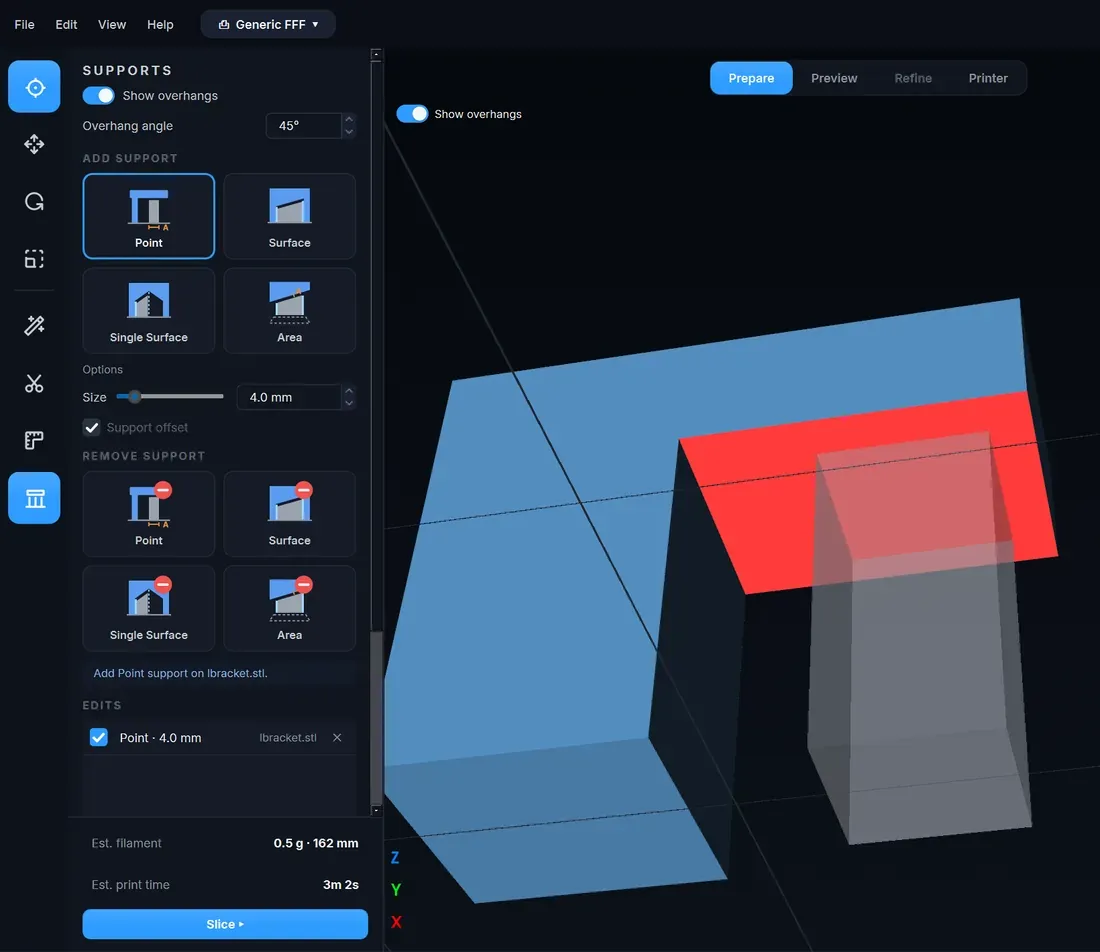
PrintSlice Pro support editor with overhang shading and the Point, Surface, Single Surface and Area tools

Supports that follow the part, placed exactly where you want them.

Contour supports follow the outline of the part instead of filling a block beneath it: a single-direction 45-degree body with one shell that you can squeeze off by hand, a dense crossed interface under the overhang, full-column expansion beyond the overhang edge and solid footing pads on the plate. Overhangs are shaded on the model at your chosen angle, and a placement editor adds or removes support by Point, Surface, Single Surface or Area, with every edit listed and reversible.

  • Single-direction 45-degree body, one shell, hand-removable
  • Dense crossed interface under the overhang
  • Full-column expansion past the overhang edge; solid footing pads
  • Add or remove: Point, Surface, Single Surface, Area; edits listed per object
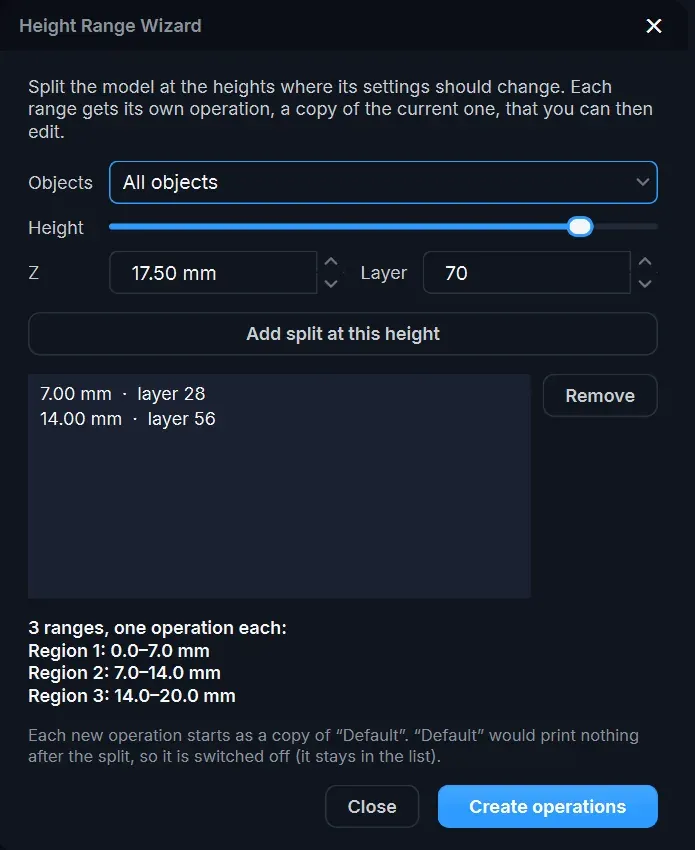
PrintSlice Pro Height Range Wizard splitting a model into three height ranges

Process-style workflows per height range and per object.

Every setting, machine configuration included, lives in an operation. Give each object its own operation, or split a part at the heights where its settings should change with the Height Range Wizard: each range gets its own operation, a copy of the current one, ready to edit.

  • Operations per object
  • Operations per height range
  • Height Range Wizard
  • Machine settings travel with the operation
Auto-orient & arrangeParts placed and oriented on the plate automatically.
Fast multithreaded slicingSlicing runs across all cores, with a staged progress view that shows each step.
Rich preview coloringColor by feature type, speed, flow and the full set of thermal analysis views.
Pressure advanceSet per material and written for your firmware.
Per-feature line widthsIndependent widths for walls, infill, solid, top surfaces and supports.
Volumetric flow limitSpeeds capped to what the hot-end and material can melt.
Z-hopLift on travel, including hop over finished top surfaces.
Fan controlFan off for the first layer, fan hold and boost, and extra fan channels such as filters.
Top-layer extrusion multiplierTune the flow of the final visible surface on its own.

Printer compatibility

Runs the HTX out of the box, and the printers you already own.

Machine configuration lives inside the operation, so a fleet of different printers can share one set of process settings.

Supported out of the box

3D Labs HTX

Bundled printer profile and HTX material profiles for PEEK, PEEK-CF, PEKK, PEKK-CF, PEI, PSU, PA-CF, ABS/ASA, PP, TPU and PLA, with the heated chamber, part-cooling fan and HEPA filter channels already configured.

About the HTX
Supported

Marlin-based printers

Any Marlin-based machine: set the build volume, heaters, fans and start/end G-code once in the Machine settings, and every operation carries it.

Supported

Klipper-based printers

Any Klipper-based machine, with a Klipper-style start sequence and temperature waits written for its firmware.

Coming soon

Duet (RepRapFirmware)

Duet support is in development.

3D Laboratories

Software, electronics and services for engineering-grade printing.

3D Laboratories is an additive manufacturing solutions provider. The know-how from building the HTX high-temperature printer now ships as software, control electronics and services, and every installed HTX stays supported.

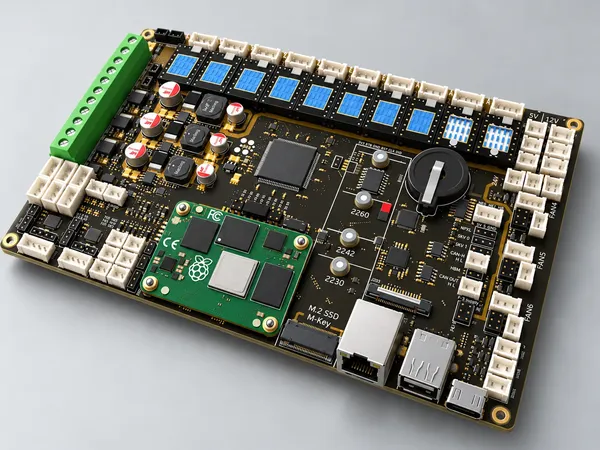
Starforge Mainboard V2
Coming soon

Starforge Mainboard V2

The controller platform for industrial and OEM machines, designed and manufactured in North America. V2 adds an onboard M.2 slot for AI accelerator modules and 10 stepper drivers.

Starforge Mainboard V2
White-label slicer for manufacturers
Services

White-label slicer for manufacturers

PrintSlice Pro under your brand, with your machine profiles, your materials, custom features and integration, and agreed update and support arrangements.

White-label slicer services
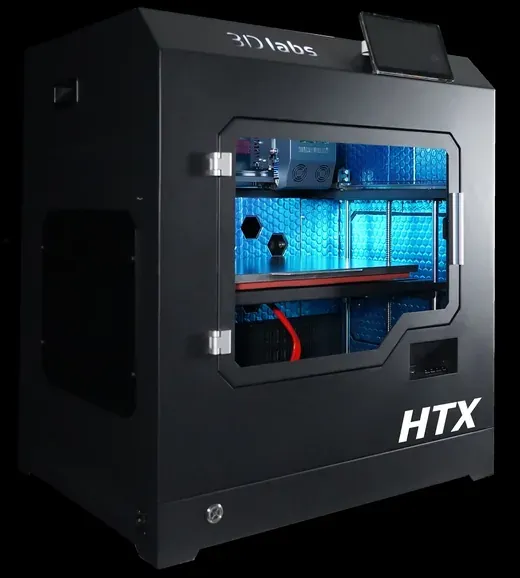
3D Labs HTX
Legacy hardware, fully supported

3D Labs HTX

Dual 500 °C nozzles, a 220 °C build plate and a 100 °C actively heated chamber. No longer in production; supported in PrintSlice Pro with bundled printer and material profiles, parts in the store.

About the HTX
Company

About 3D Laboratories

Headquartered in Jacksonville, Florida, with US-based engineering and support. Read where we come from and where the solutions are heading.

About the company
Military, defense, aerospace and regulated manufacturing

Air-gapped and secure deployments

PrintSlice Pro runs fully offline, with no account, cloud or internet connection, and the Starforge controller computes on the machine. Offline license activation for secure sites.

Air-gapped deployments

Research foundations

  • Heat transfer in FFFRamos 2022/2023; Costa 2015; Zhang 2022
  • Weld-zone temperatureSeppala et al., NIST, 2016-2017
  • Bond formationHumbert et al., 2024 (PEEK overprinting); Sun et al., 2008
  • Warp and the bed heat-affected zoneCompton et al., 2017; Armillotta 2018; Ramian 2021; Mittal 2024
  • Crystallization kineticsHamid & Kravchenko (PEEK, CC BY 4.0); Pérez-Martín et al. (PEKK, CF-PEKK)

Talk to 3D Laboratories

See PrintSlice Pro on your parts and your materials.

Bring a part and a material. We will slice it with you, walk through the thermal analysis and the Refine recommendations, and set up your printers.

PrintSlice Pro beta program

Print with the engine before it ships.

The beta program is for engineers and labs printing PEEK, PEKK, PEI and other engineering materials. Members receive early builds as they are cut, talk directly to the engineers who build the slicer, and see their findings shape what gets built next.

Request a demo

What beta members get

01
Early buildsNew engine features and thermal views ahead of each release, delivered as offline installers.
02
Direct engineering contactYour questions and findings go to the people writing the code.
03
Roadmap inputYour parts and materials help decide what we build next.

Places are limited to what the engineering team can support directly. Signing up registers your interest; we confirm each place by email.

Account Menu $0